

Health Tracking Overview
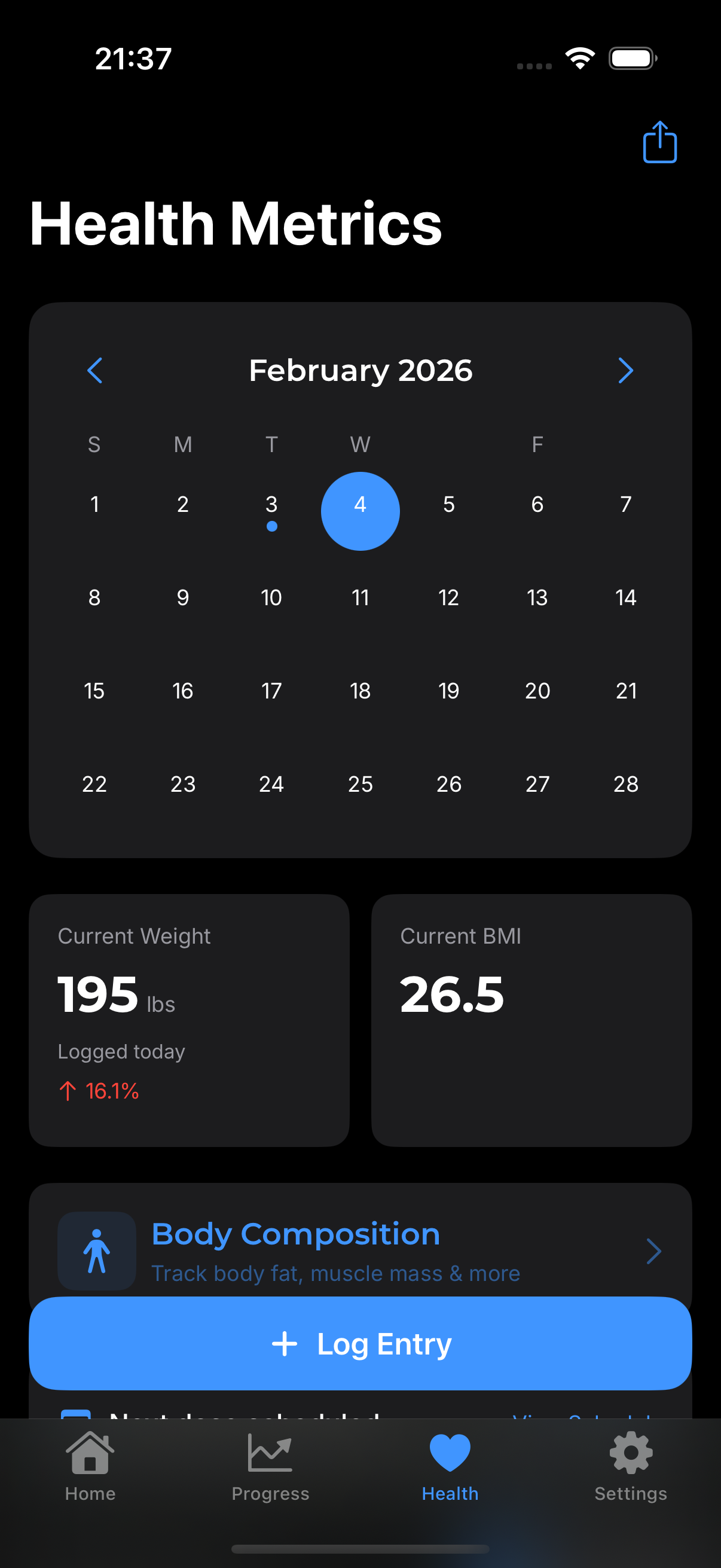
Beyond dose tracking, GLPea helps you monitor how your body responds to GLP-1 medication. Track weight, water intake, and symptoms to see the full picture of your journey.
Why Track Health Metrics?
See What's Working
GLP-1 medications affect more than just weight. Tracking helps you:
- Identify trends and patterns
- Notice which weeks you feel best
- Correlate symptoms with dose timing
Share with Your Provider
Your health data tells a story:
- Weight trends over time
- Hydration patterns
- Side effects and their severity
This information helps your doctor make informed decisions about your treatment.
Stay Motivated
Seeing your progress visualized:
- Keeps you engaged with your treatment
- Celebrates small wins
- Helps you stay consistent
What You Can Track
Weight
Your most important metric for many GLP-1 users.
- Log daily or weekly
- See trends over time
- Set and track goals
- Sync with Apple Health
Water Intake
Staying hydrated is crucial with GLP-1 medications.
- Quick logging throughout the day
- Daily goal tracking
- Preset amounts for fast entry
- Visual daily progress
Symptoms & Side Effects
Track how you're feeling:
- Common GLP-1 side effects
- Severity ratings
- Notes for context
- Pattern detection over time
Apple Health Integration
GLPea can read from and write to Apple Health:
Reading Data
- Import weight from other apps or smart scales
- Bring in water intake from Apple Watch
- Consolidate all health data in one place
Writing Data
- Export GLPea metrics to Health app
- Share with other health apps
- Create a complete health picture
To set up sync: Settings → Health Sync
Quick Logging
From the dashboard, use quick action buttons:
| Button | What It Logs |
|---|---|
| Add Weight | Single weight entry |
| Add Water | Water intake amount |
| Check-In | Daily symptoms and feelings |
Viewing Your Metrics
Dashboard Cards
The dashboard shows your latest:
- Most recent weight
- Today's water total
- Last check-in status
Progress Charts
The Progress tab shows trends:
- Weight over time (chart)
- Water intake patterns
- Symptom frequency
Tracking Tips
Consistency Matters
For weight, log at the same time each day (morning is best). Consistency makes trends more meaningful than absolute numbers.
Don't Obsess
Daily weight fluctuations are normal. Focus on weekly or monthly trends, not day-to-day changes.
Log Symptoms Early
When you notice a side effect, log it right away. It's easy to forget details later.
Common Questions
How often should I log weight? Most people log daily or weekly. Daily gives more data points but can be discouraging due to normal fluctuations. Weekly smooths out the noise.
Do I need to track water? It's helpful but optional. GLP-1 medications can affect hydration, so tracking ensures you're drinking enough.
What symptoms should I track? Common ones include nausea, fatigue, appetite changes, and injection site reactions. Track whatever you're experiencing.
Can I import data from my smart scale? Yes! If your scale syncs with Apple Health, enable Health Sync in GLPea to import weight automatically.