Privacy Overview
Your health data is sensitive, and GLPea is built with privacy at its core. Here's how we protect your information.
Our Privacy Principles
Your Data, Your Control
- You own your data - Export or delete it anytime
- Minimal collection - We only store what's needed for the app
- No selling - Your data is never sold to advertisers or third parties
- Transparent - We tell you exactly what we collect and why
Security First
- Encryption - Data encrypted in transit and at rest
- Secure authentication - Industry-standard auth protocols
- Device protection - Biometric lock option (Face ID/Touch ID)
What GLPea Collects
Account Information
When you create an account:
- Email address (for login)
- Name (optional, for personalization)
- Password (encrypted, never stored in plain text)
Health Data
What you log in the app:
- Dose logs (medication, amount, date, injection site)
- Weight measurements
- Water intake
- Symptom check-ins
- Protocol settings
Technical Data
To keep the app working:
- Device type and OS version
- App version
- Crash reports (anonymized)
- Usage analytics (can be disabled)
What GLPea Does NOT Collect
- Location data
- Contact information
- Photos or media (unless you add them)
- Data from other apps
- Browsing history
How Data Is Protected
Encryption
- In transit: TLS 1.3 encrypts all data between your device and our servers
- At rest: AES-256 encryption protects stored data
- End-to-end: Sensitive health data is encrypted before leaving your device
Authentication
- Secure password hashing
- Option for Apple Sign In (even more secure)
- Session tokens with automatic expiration
Infrastructure
- Hosted on secure, SOC 2 compliant providers
- Regular security audits
- Access controls limit who can see data
Your Privacy Choices
Biometric Lock
Protect the app with Face ID or Touch ID:
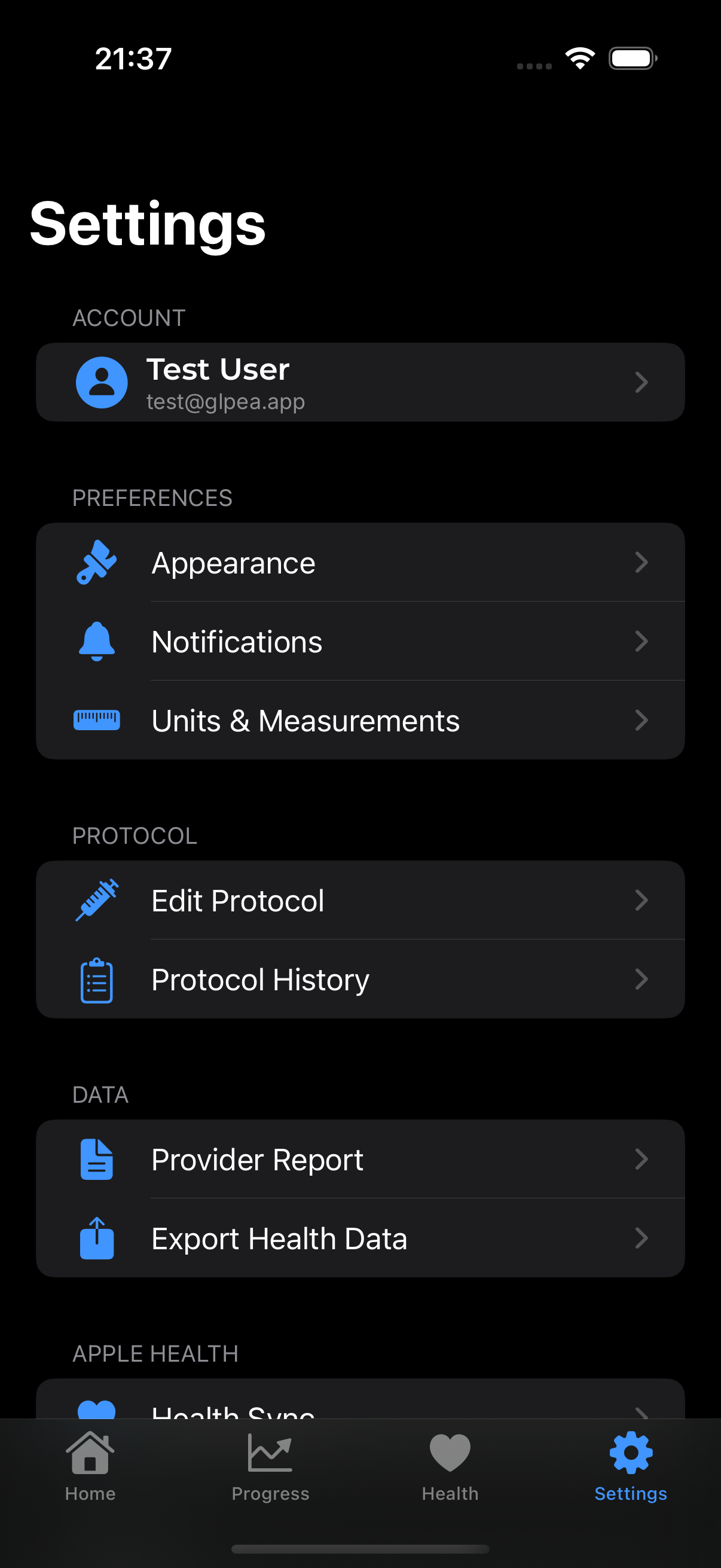
- Go to Settings → App Lock
- Enable biometric protection
- App requires authentication to open
Analytics Opt-Out
Disable usage analytics:
- Go to Settings → Privacy
- Toggle off Usage Analytics
- Your app usage won't be tracked
Data Export
Get a copy of all your data:
- Go to Settings → Export Health Data
- Choose format (PDF or CSV)
- Download or share
Account Deletion
Delete your account and all data:
- Go to Settings → Account
- Tap Delete Account
- Confirm deletion
Account Deletion Is Permanent
Once deleted, your data cannot be recovered. Export first if you want to keep a copy.
Apple Health Integration
When you enable Health Sync:
What GLPea Can Read
- Weight (if you grant permission)
- Water intake (if you grant permission)
What GLPea Can Write
- Weight entries you log
- Medication data
- Water intake
Permissions
You control exactly what GLPea can access:
- iPhone Settings → Health → GLPea
- Toggle specific data types on/off
Third-Party Services
GLPea uses minimal third-party services:
| Service | Purpose | Data Shared |
|---|---|---|
| Apple Sign In | Authentication | None (Apple handles it) |
| Crash reporting | Bug fixes | Anonymized crash data |
| Cloud hosting | Data storage | Encrypted health data |
We do NOT use:
- Advertising networks
- Data brokers
- Social media trackers
Children's Privacy
GLPea is designed for adults managing their own medication. We do not knowingly collect data from children under 18. GLP-1 medications are typically prescribed to adults.
Changes to Privacy Policy
We'll notify you of significant privacy policy changes:
- In-app notification
- Email to your registered address
- Updated date on our privacy policy
Contact Us
Questions about privacy?
- Email: hello@glpea.app
- Contact Support
Full Privacy Policy
Read our complete privacy policy at: https://glpea.app/privacy